|
Diagram Studio is a powerful application for
creating professional-looking business, technical drawings and
illustrations for your documents quickly and easily. Diagram Studio
is the ideal program for creating a wide variety of flow charts,
organization charts, presentation drawings, and diagrams. Specifically, Diagram Studio can
produce:
|
 |
Business diagrams, presentations and
illustrations |
|
|
|
Organization and workflow charts |
|
|
Software and process flowcharts |
|
|
Database structures |
|
|
Engineering schematics and technical
drawings |
|
|
Web-site structures and network diagrams |
|
|
Maps |
|
|
Research layouts and maps |
|
 |
|
|
Floor plans, street and directional
maps, traffic routings. |
|
|
|
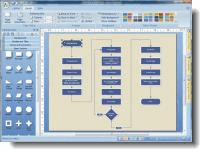
Diagram Studio offers you a wide choice of different tools
which allow you to quickly and easily create flowcharts, business and
technical diagrams, schemes, plans, family tree, etc. The focus of these
tools is on ease-of-use, speedy results, automation, and quality output.
It's easy to draw and edit charts with Diagram Studio. You don't need to
have any artistic talent or drawing skills to use this program. The
simple objects can be easily created by using primitive graphic
components, and for more complicated ones you can use our Libraries,
supplied with the program, where most of the objects you might need are
already gathered for you. Simply drag them from there and drop into your
diagram. Diagram Studio includes many ready-made symbols that are
carefully organized into Libraries designed for specific tasks. For each
symbol, you can assign different line colors, pattern, fill and shadow
colors. You can enter explanatory text label at any location. Text is
entered and formatted just like your word processor does it.
Diagram Studio's intelligent links automatically change their path when
you reposition objects, avoiding crossing other objects. Powerful grid
and alignment aids keep your diagram attractive. Diagram Studio handles
the hard parts of drawing a diagram and leaves you time to focus on the
layout and appearance.
If you're new to DiagramStudio, you may need help getting
started creating your diagrams. The lessons in
Quick Tutorial teach you the basic skills you need to create any
simple DiagramStudio diagram. Click here to to
begin the tutorial. |